How to Start a Trial and Subscribe in Opulent
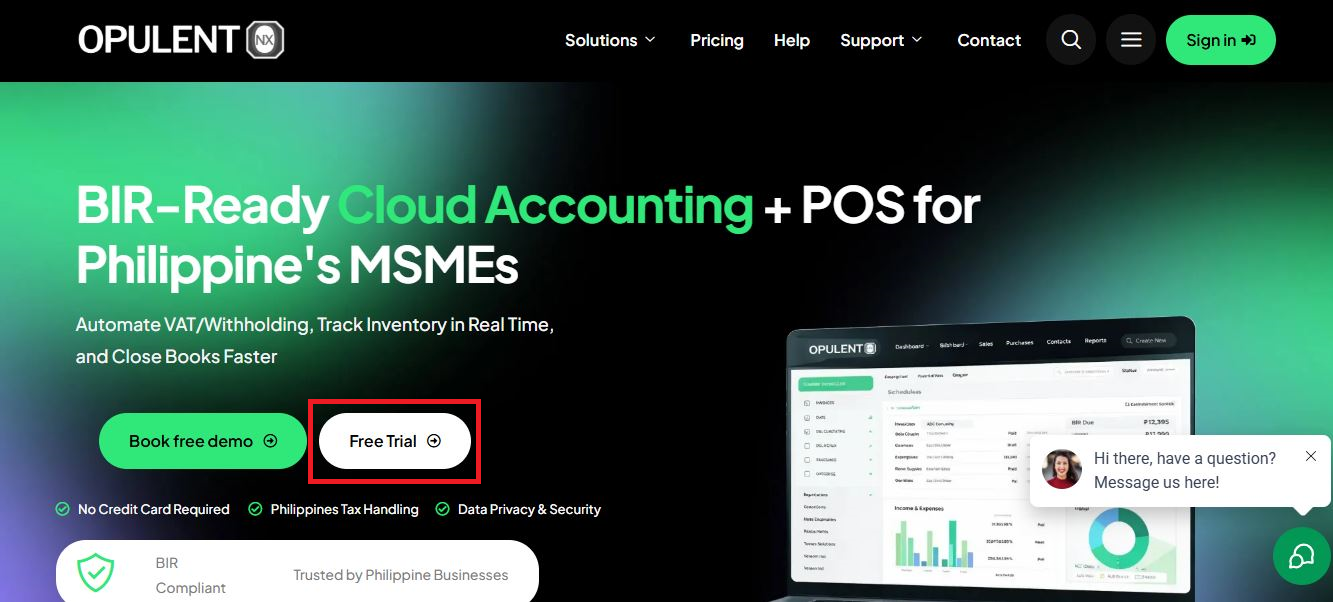
- Go to the OpulentNX website("https://opulentnx.com/") and click “Start Trial.”
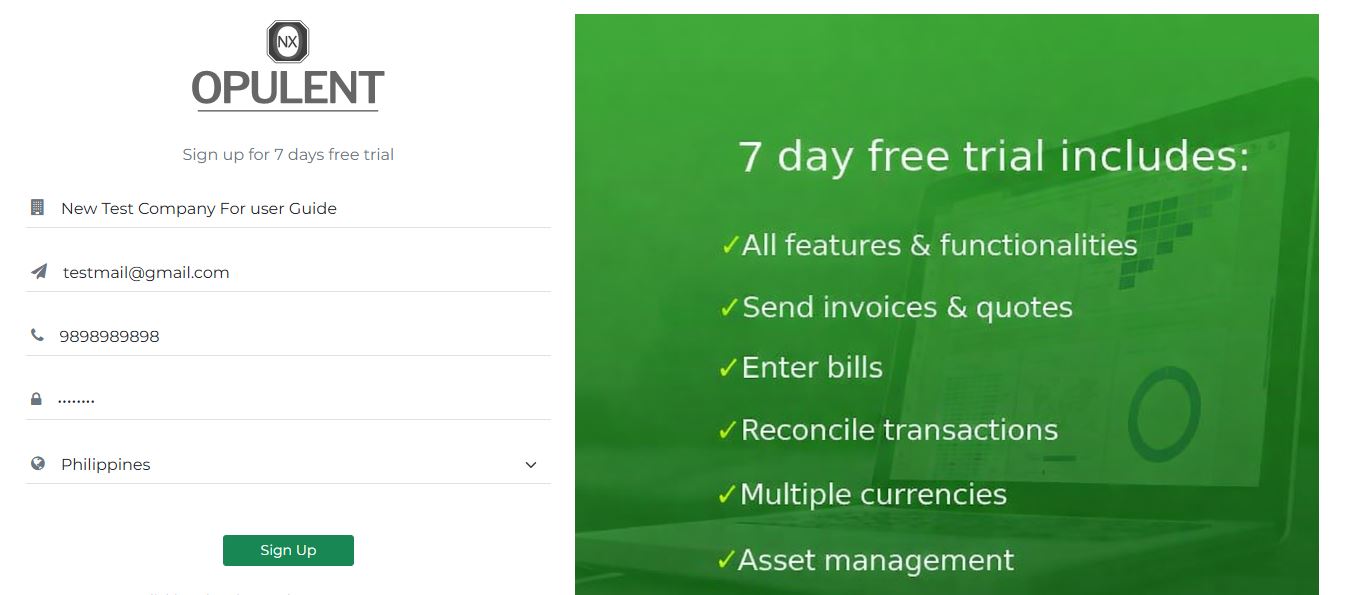
- On the sign-up page, enter details related to your organization like Company Name, Mobile Number (use an active number) Then click “Sign Up" button.
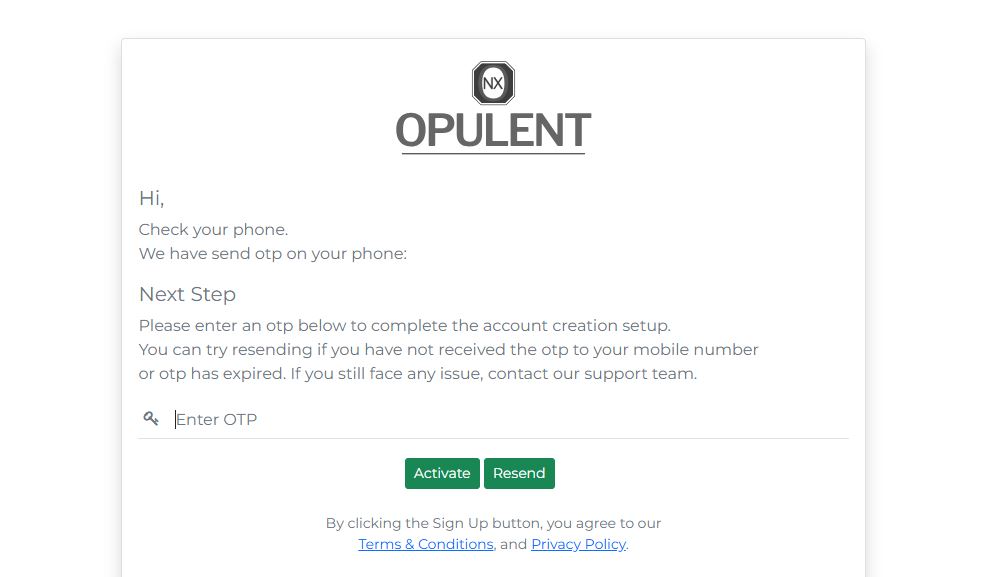
- Enter the OTP received on your mobile and click “Activate.”
Once verified, you will be taken to the login page.
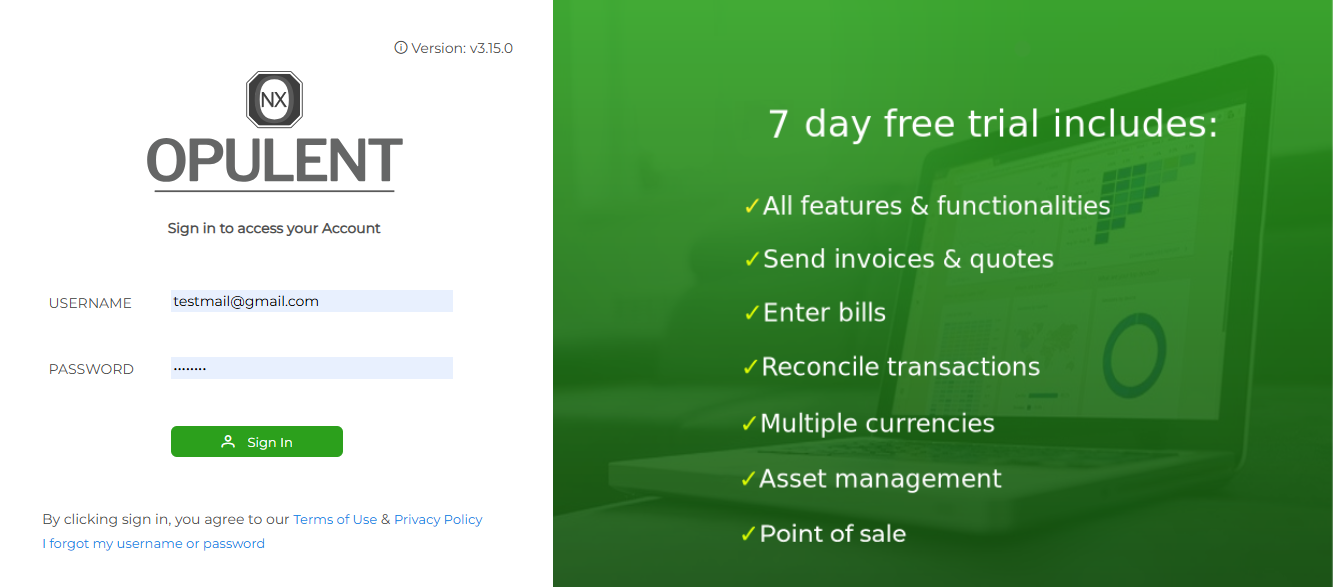
- Log in using your email and password. You will be redirected to initial setup page.
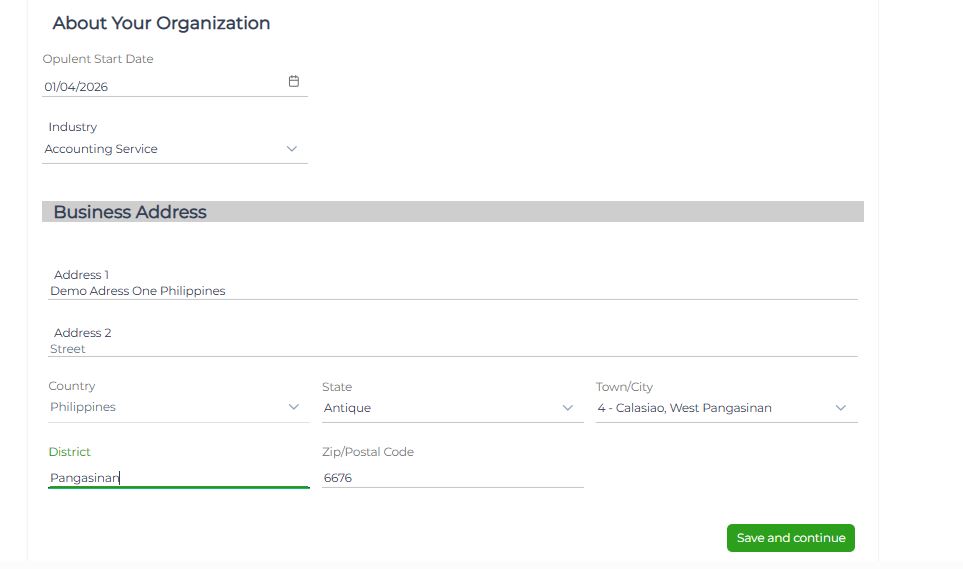
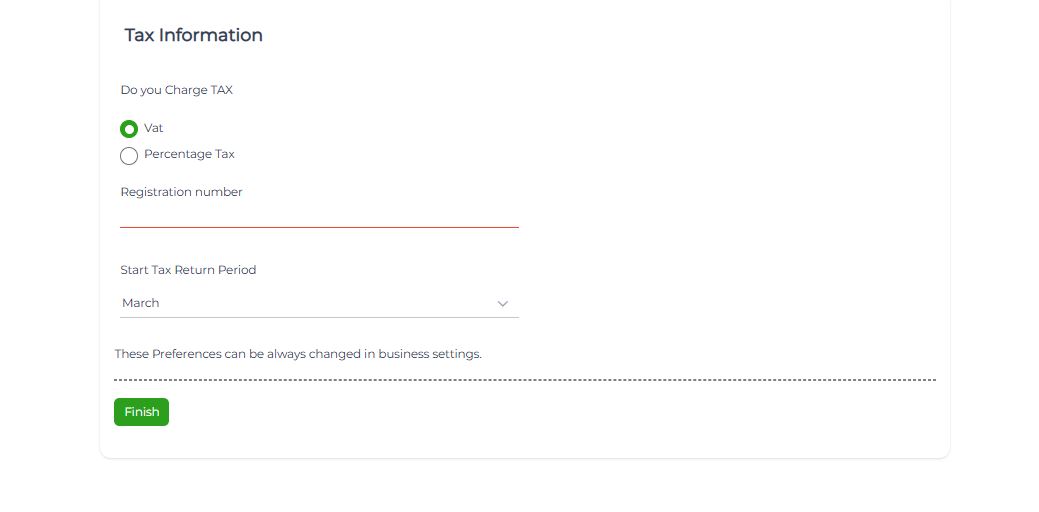
- Complete the initial setup and click “Save and Continue.”
Your 7-day free trial will begin, and you’ll land on the dashboard.
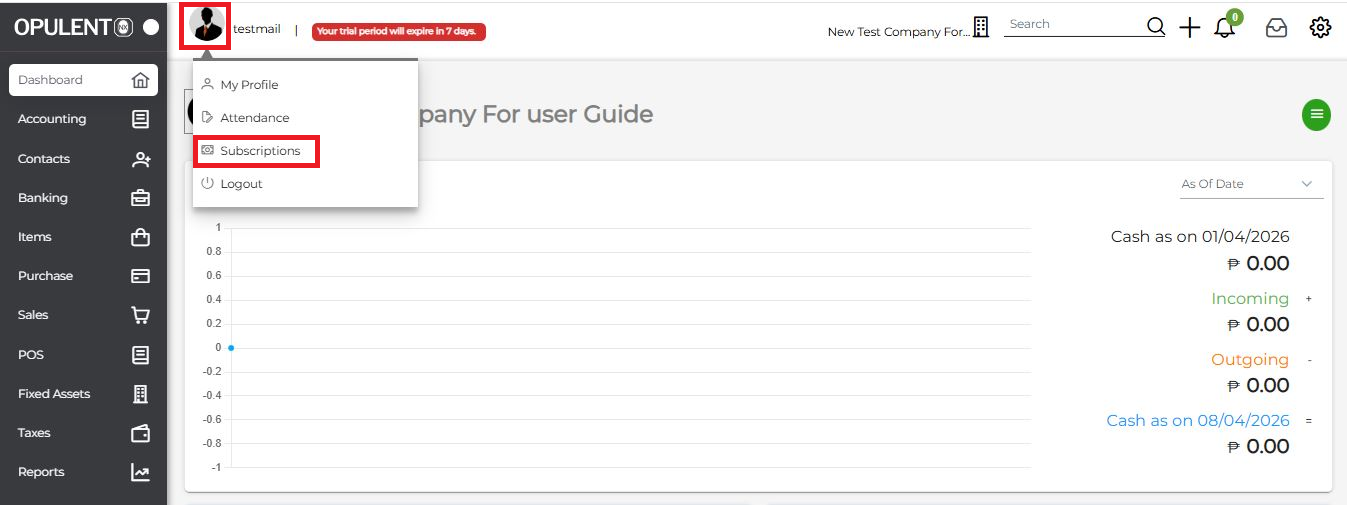
- To purchase a plan, click on your Profile and select the “Subscription” option. This will take you to the license list page..
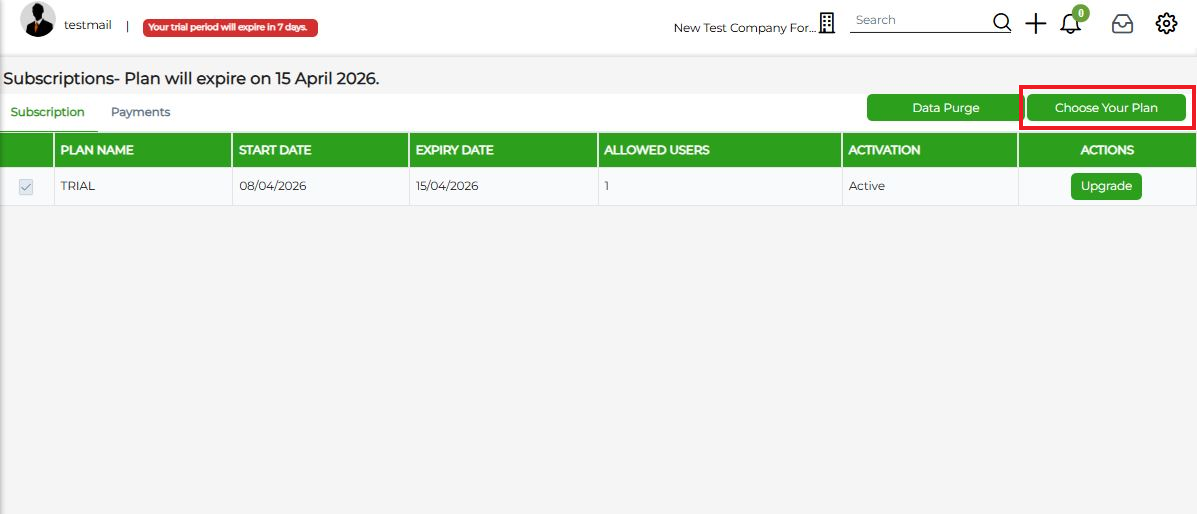
- Click on “Choose Plan” to view available subscription plans.
- Select a plan based on your business requirements and click on “Buy Now”. You will be redirected to the billing page.
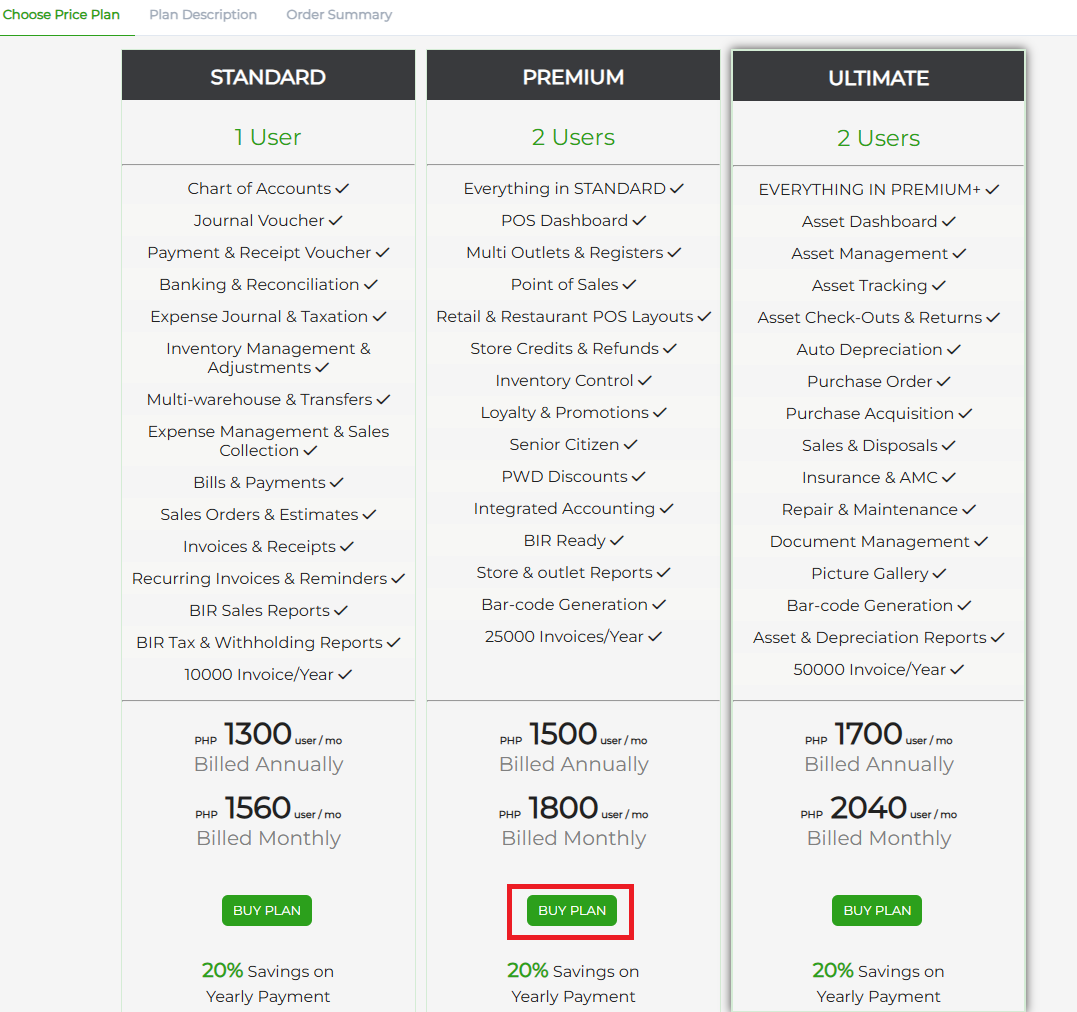
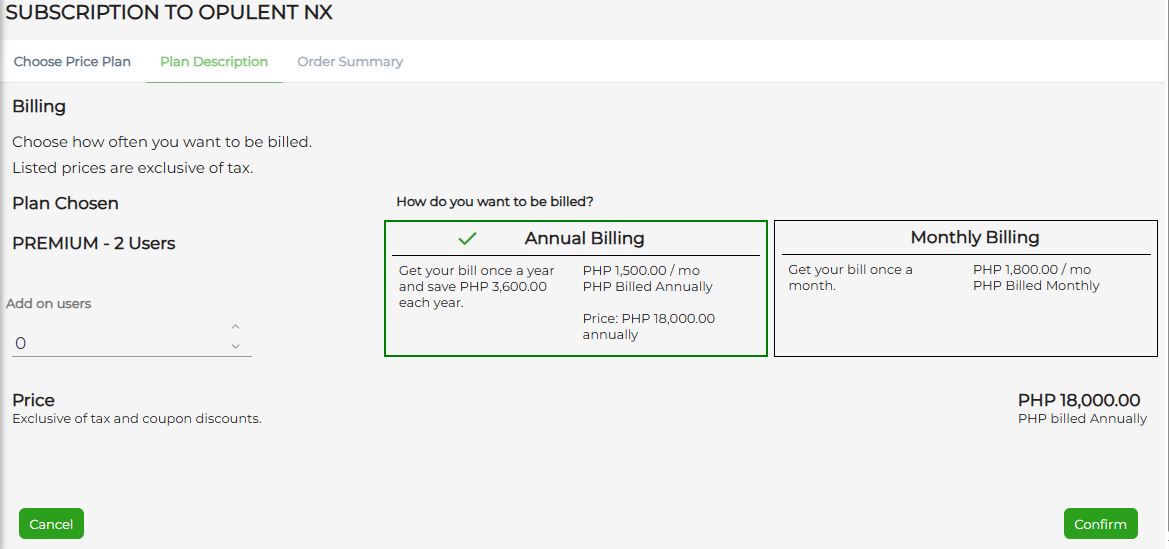
- Select either Monthly or Yearly billing (enjoy 20% savings with annual plans) and click “Confirm.
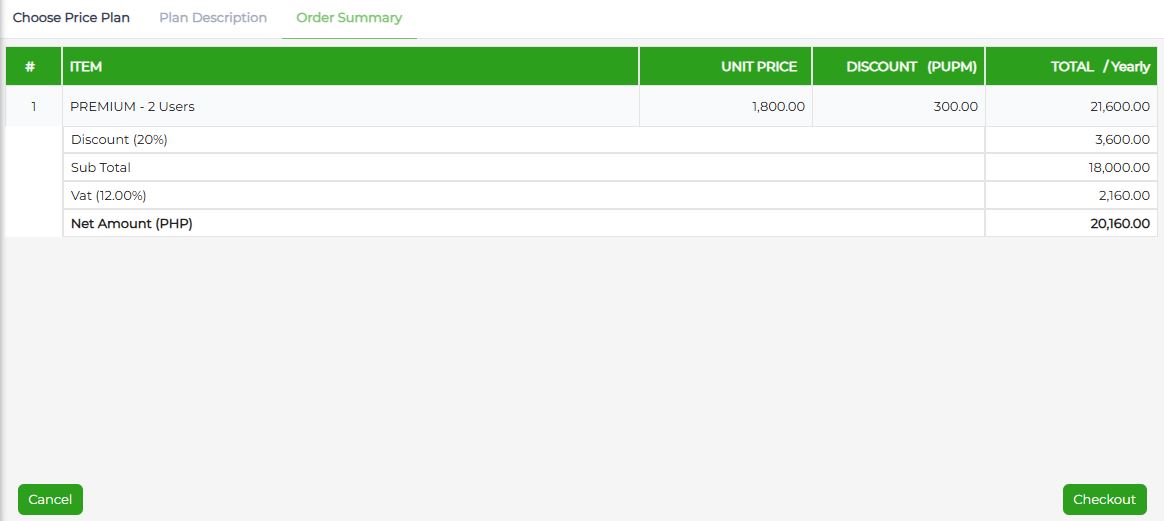
- Review the billing summary and click “Checkout.” you will be directed to payment gateway page.
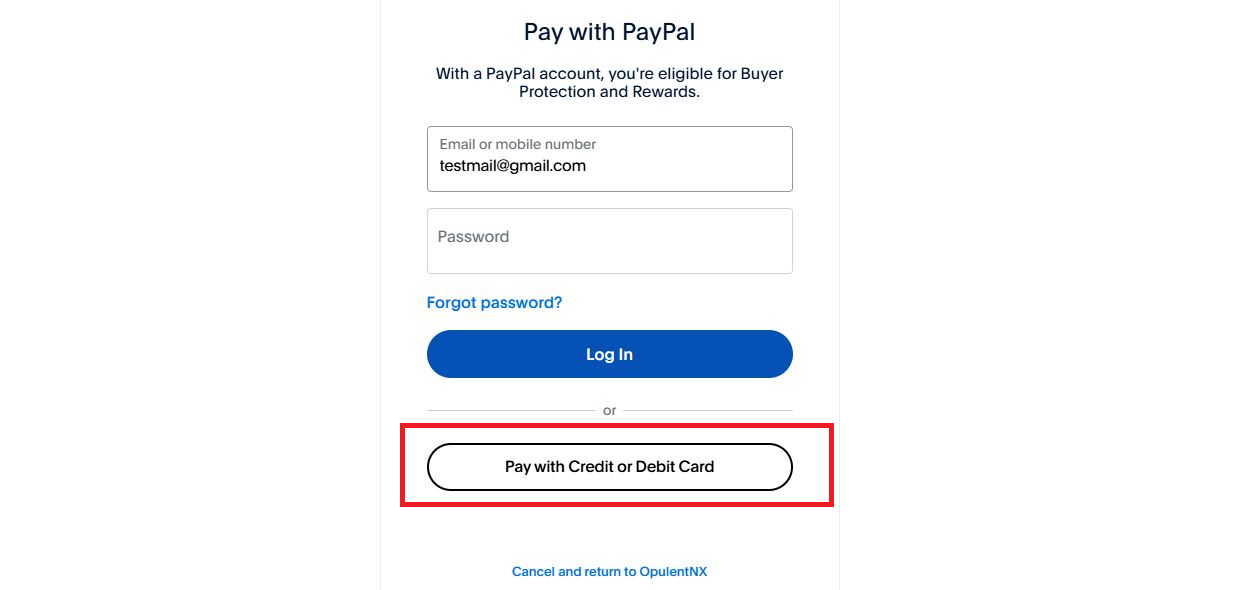
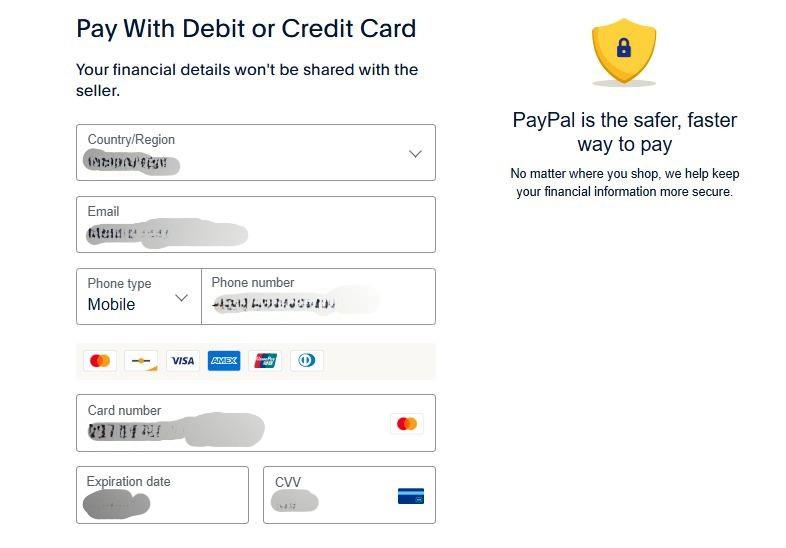
- On the payment page, select your preferred method (Debit/Credit Card).
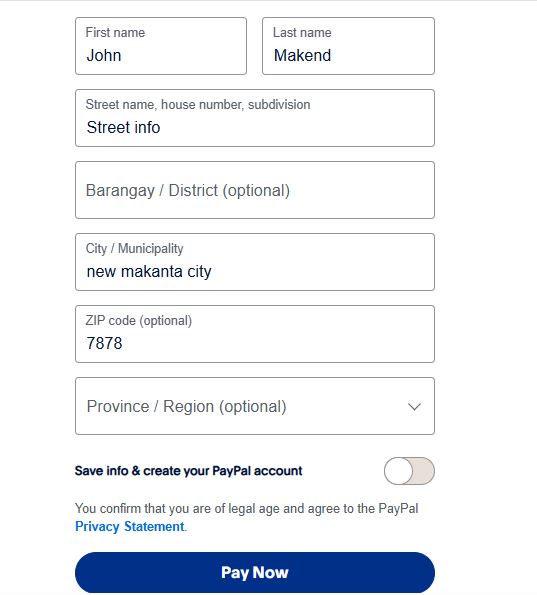
- Enter your billing and card details.
Ensure the “Save Info” option is turned off if not required. Then click on “Pay Now”.
- After payment, you will be redirected back to the Opulent application.
Wait for the payment confirmation.
Note : Do not refresh or navigate away from the page.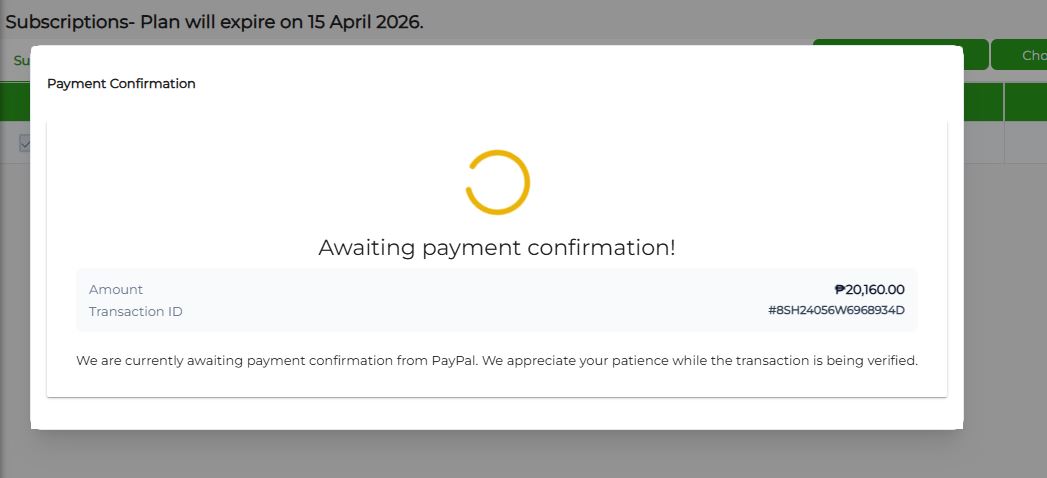
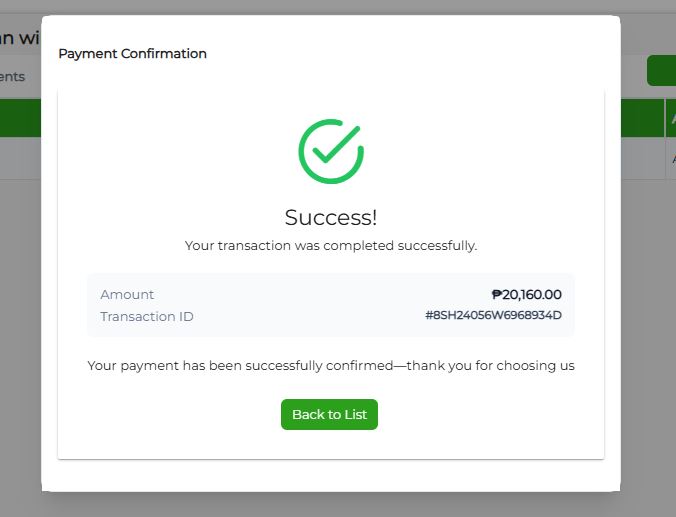
- Once the payment is successfully confirmed, click on “Back to List”.
Your selected subscription plan will now be active.
Was this article helpful?
That’s Great!
Thank you for your feedback
Sorry! We couldn't be helpful
Thank you for your feedback
Feedback sent
We appreciate your effort and will try to fix the article