What Happens When You Clear Cache in Opulent NX
Performance Refresh Cached browser files can sometimes become outdated or corrupted. Clearing them allows Opulent NX to reload fresh data, often improving speed, stability, and overall performance. Login Required Clearing cache and cookies removes stored session information. As a result, you will be required to log in again to your Opulent NX account. Offline Data Advisory If you are using Opulent NX in offline mode, clearing the browser cache may result in the loss of any transactions that have not yet been synchronized to the cloud. Please ensure all offline data is fully synced before proceeding.
How to Clear Cache for Opulent NX in Google Chrome
1. Click the three-dot menu in the top-right corner of Google Chrome.
2. Select History → History.
3. Click Clear browsing data from the left panel.
4. Set the Time range to All time.
5. Check: Cookies and other site data Cached images and files Click Clear data.
Important: Close and restart your browser after clearing the cache to ensure the changes take effect.
Create a Sale in Offline mode
- Hover over the "POS" option in the side navigation bar. Click on "Process Sales from the dropdown menu. Alternatively, click on "POS",You will be directed to process sales.

- You will be directed to process sales screen.
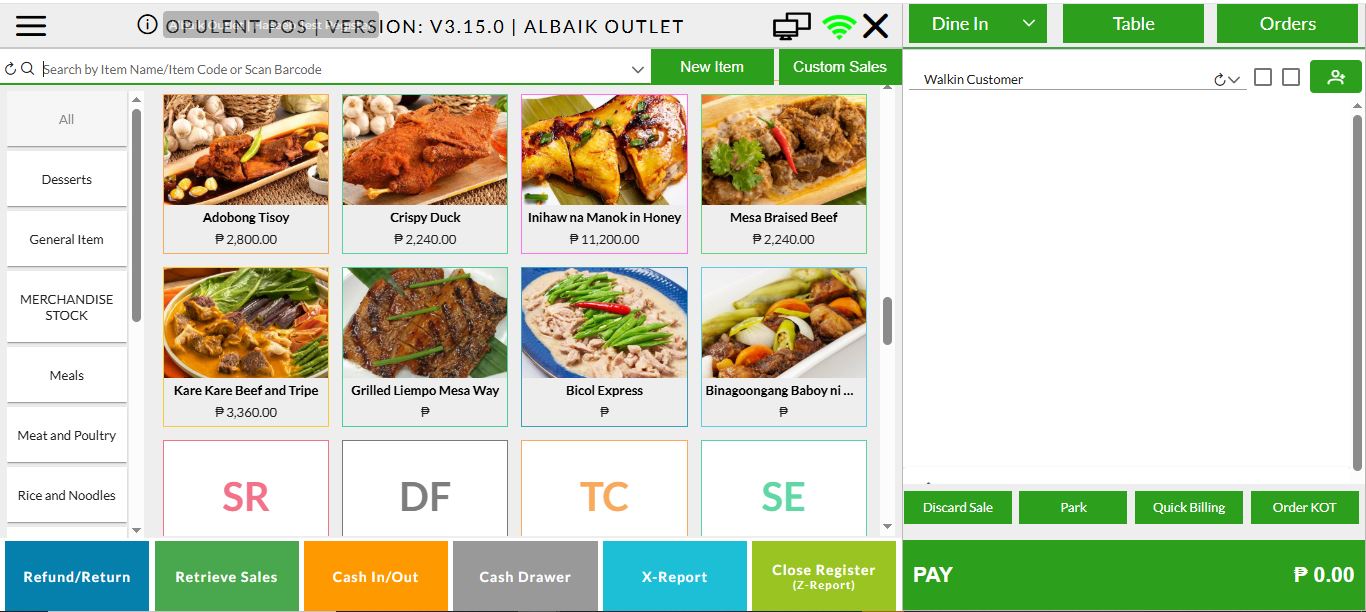
- When the internet connection is lost, the system will automatically switch to Offline Mode(With proper offline indicator as shown in below image.
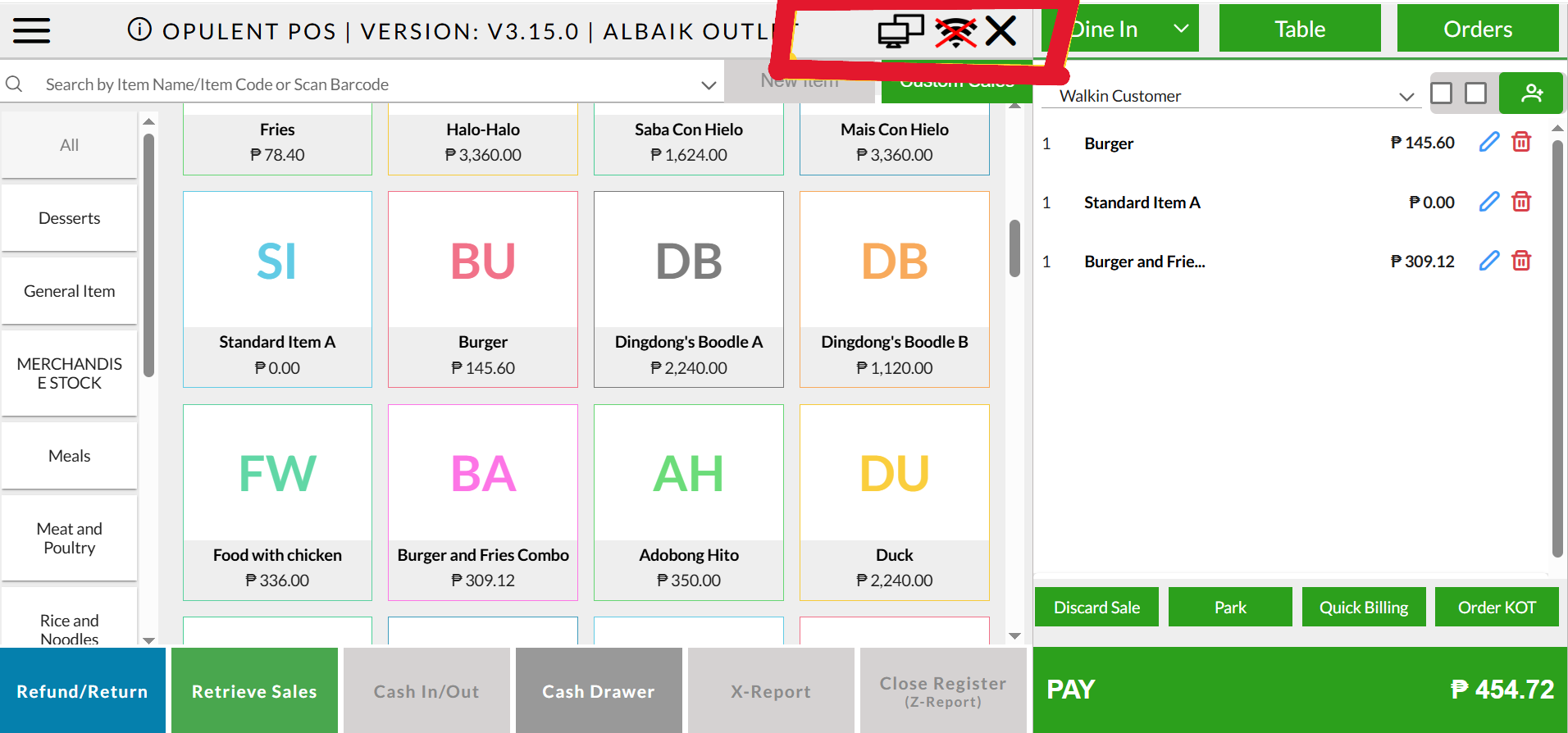
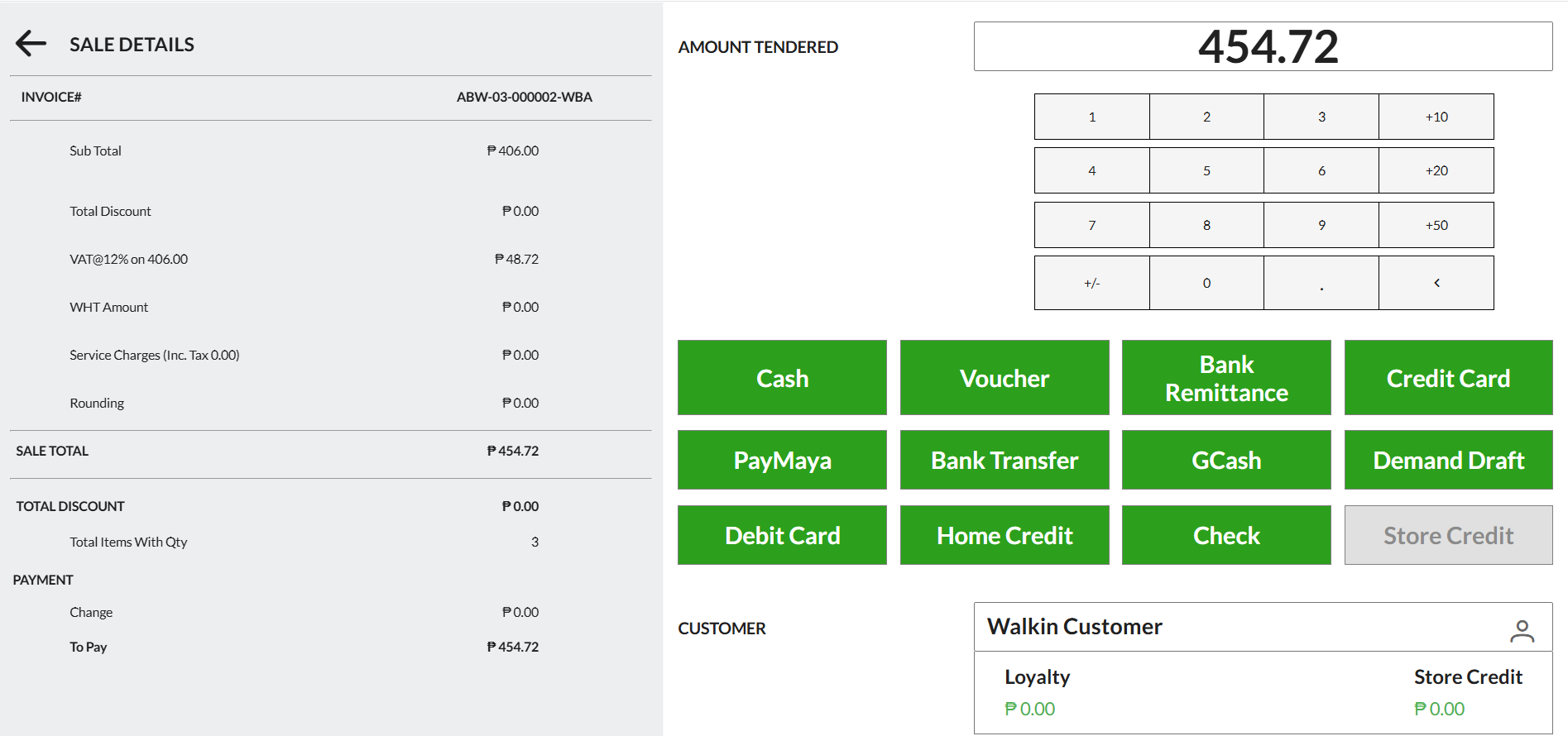
- Add items to the cart as you normally would. and Complete the sale by making the payment.
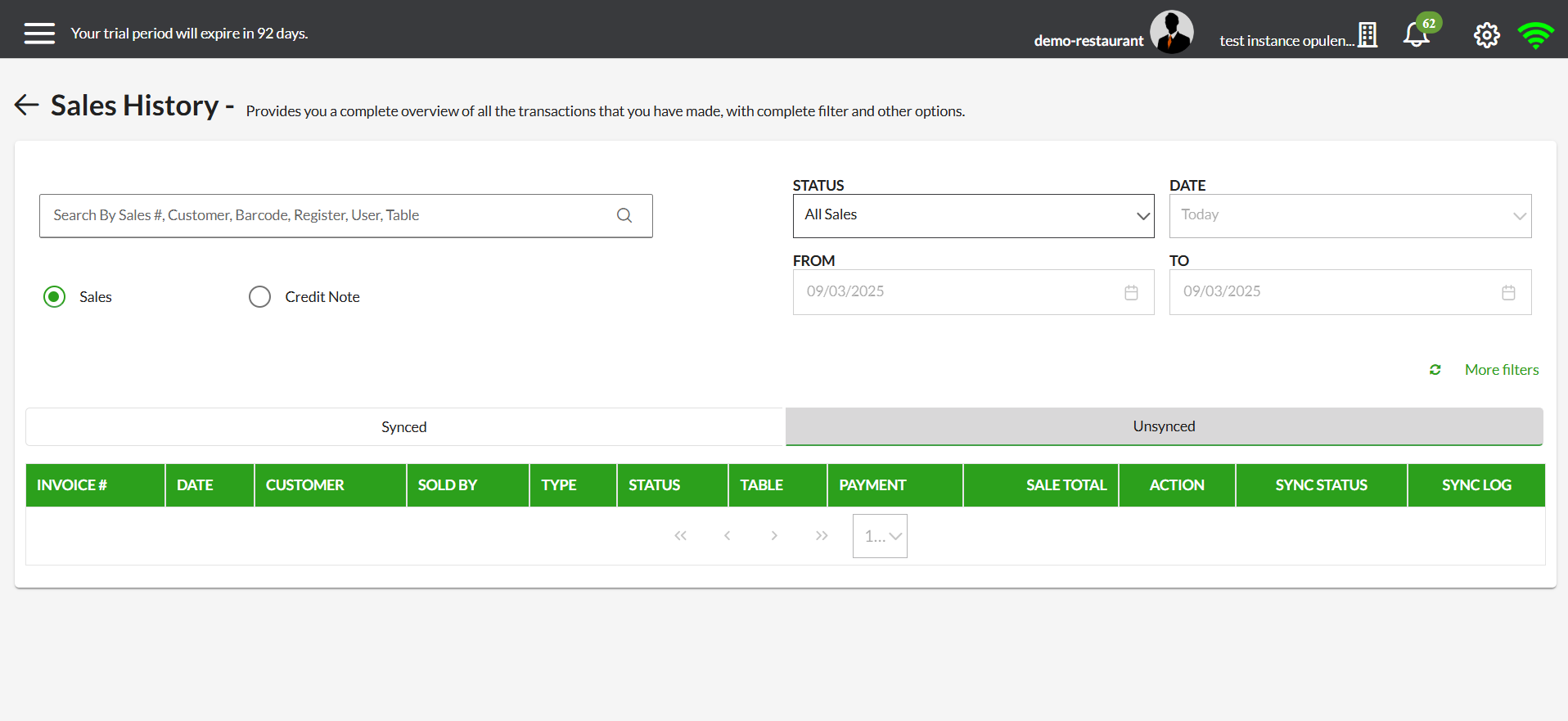
- Click on Retrieve Sales. The invoice will appear in the Unsynced List until the internet connection is restored.
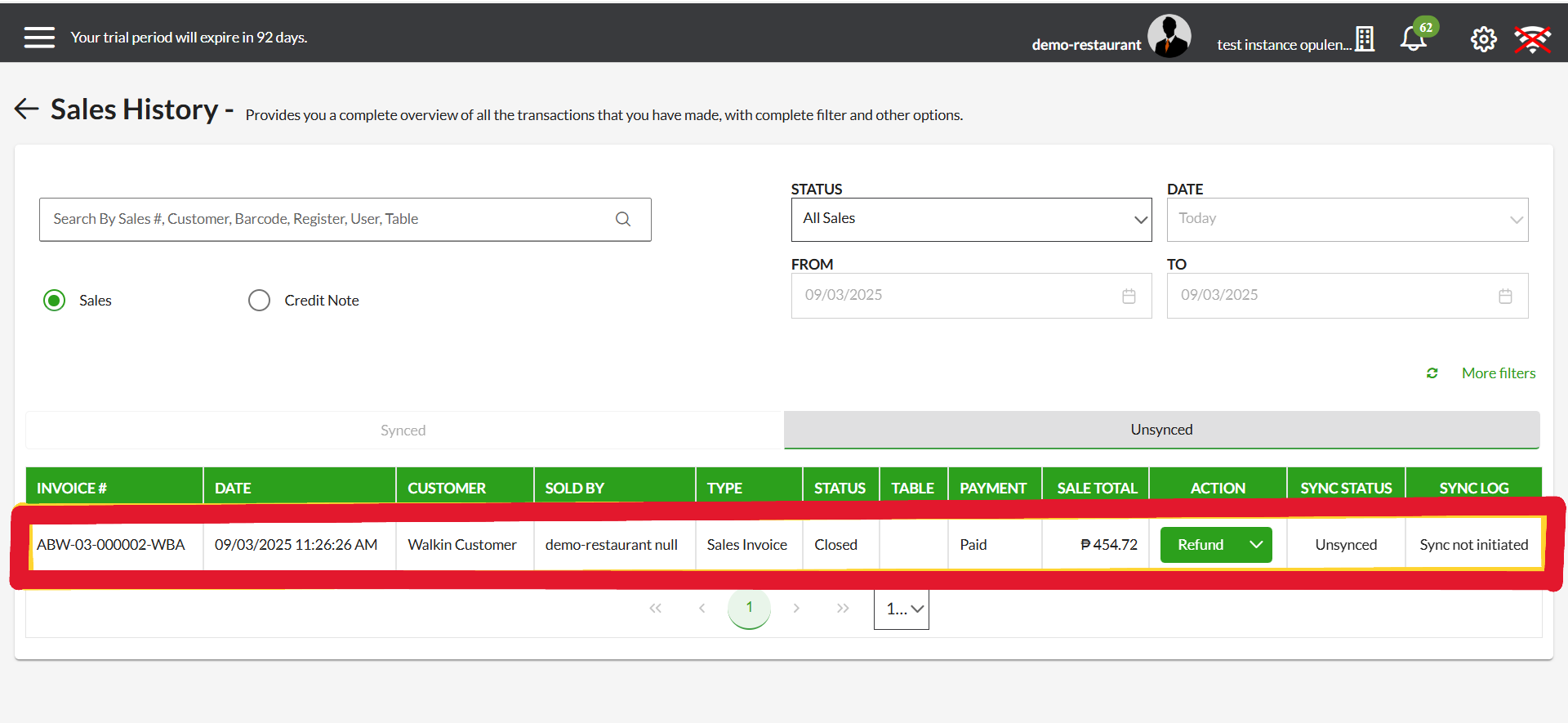
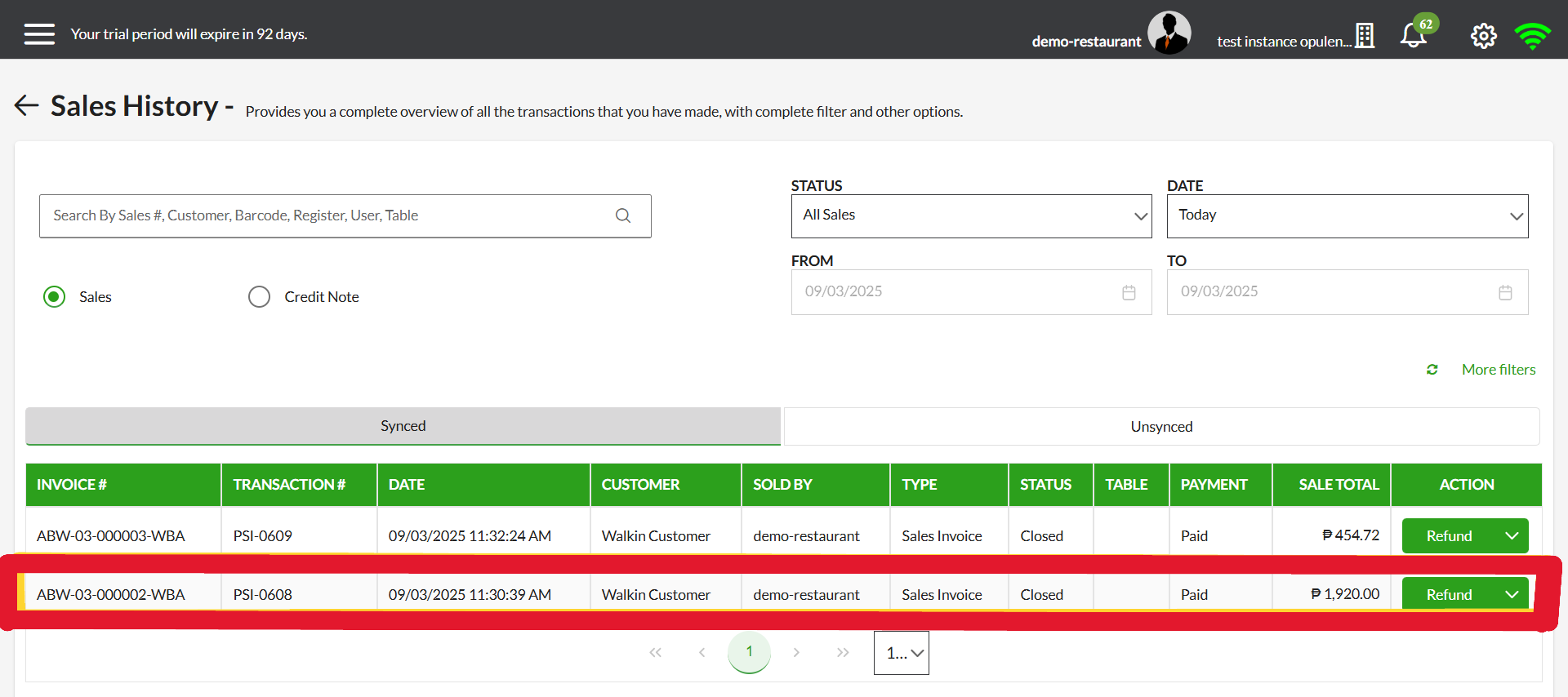
- Once the internet connection is restored, the system will automatically sync the invoice. You can verify it in the Sales History, where the invoice will now appear in the synced records, and the Unsynced List will be cleared.
Was this article helpful?
That’s Great!
Thank you for your feedback
Sorry! We couldn't be helpful
Thank you for your feedback
Feedback sent
We appreciate your effort and will try to fix the article